
View audio output and processing paths
View audio output and processing paths
OnePlayer 5.0 will separately display "what format the file is in", "how the App wants to output" and "what format the system finally adopted". This avoids seeing a Hi-Res logo without knowing what has actually been done to the sound.
This article belongs to OnePlayer 5.0 Function Collection.
Enter from the play page
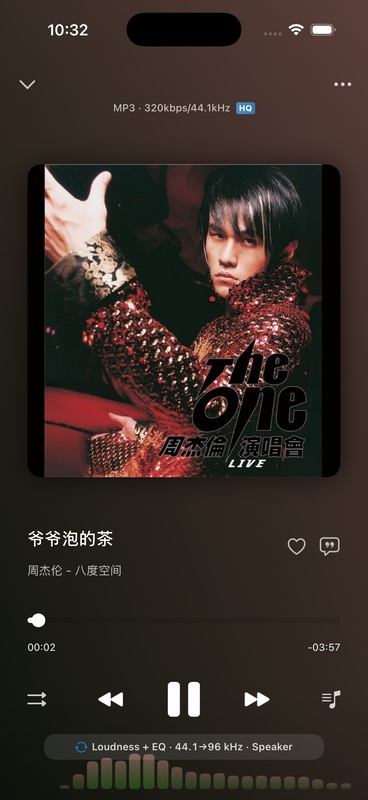
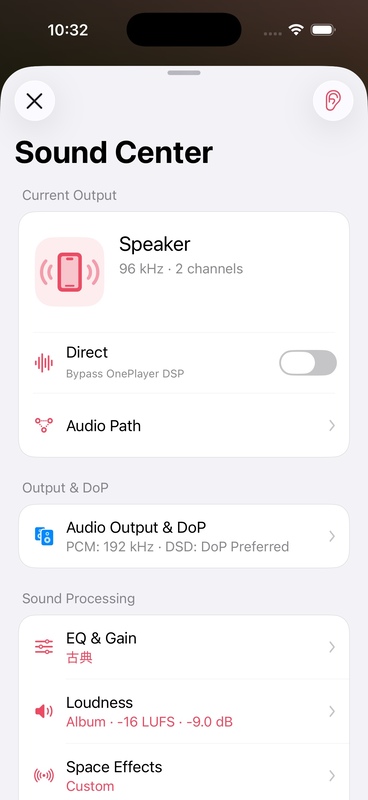
When playing a song, the sound quality capsule will be displayed on the play page. Tap the capsule to enter the "Sound Center", and long press to directly view the complete "Audio Path".
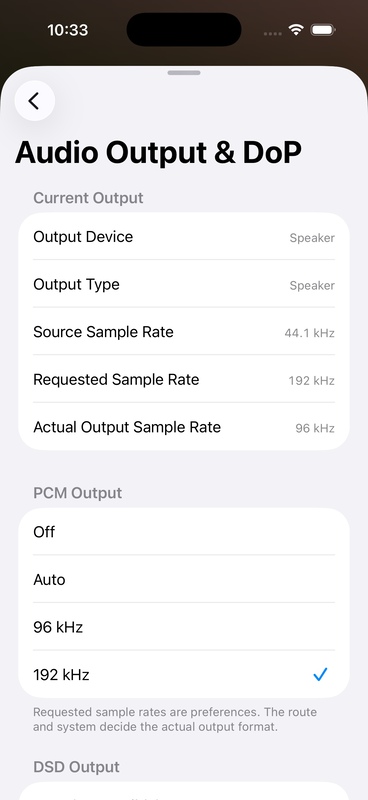
What do the three sampling rates represent?
Source sample rate
The sample rate of the song file itself. For example, CD quality is usually 44.1 kHz, Hi-Res files might be 96 kHz or 192 kHz.
Request sample rate
The output sample rate that OnePlayer requests from the system based on Direct, upscaling settings, and the current song. It represents the output intention of the App and does not guarantee that the hardware will accept it.
Actual output sampling rate
The actual sampling rate used by iOS's current audio routing. Bluetooth protocols, system mixes, adapters, and USB DACs can all affect the final result.
View full audio path
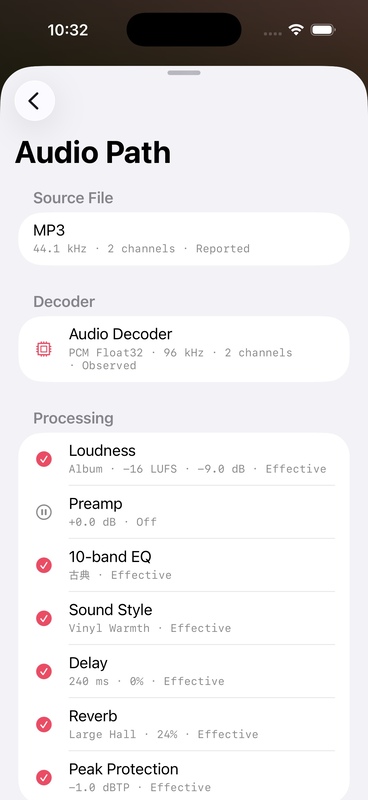
"Audio Path" will display the processing of the current song from decoding to output in order, for example:
Audio file → Decoding → Preamp Gain → EQ → Loudness → Sound Style → Output DeviceIf a module is temporarily bypassed by Direct, DoP, Mixed Playback or Audition Sound, the corresponding reason will be displayed in the path. The settings will not be deleted; after the conditions are restored, the original settings will continue to take effect.
common phenomenon
Requested 192 kHz, actual output is not 192 kHz
The requested sample rate is just a preference. The actual format is determined by the system and the current output device. This is especially common when using mobile phone speakers and Bluetooth headsets.
EQ turns gray after opening Direct
The goal of Direct is to minimize user DSP. When Direct is in effect and no mix is played, EQ, loudness, spatial effects, and sound styles are temporarily bypassed.
Spectrum and variable speed are not available during DoP
DoP frames carry raw DSD data and any EQ, mixing, spectral analysis or variable speed processing may corrupt the transmission, so OnePlayer automatically bypasses these functions.