
WeChat Import — Import Music from WeChat Chats to iPhone
Import via WeChat
This method is most useful for users in mainland China where WeChat is the primary file-sharing channel. WeChat's UI is in Chinese — the screenshots below show the Simplified Chinese interface.
1. Send the music file to yourself on WeChat, then tap "Open in another app" and choose "Save to Files"
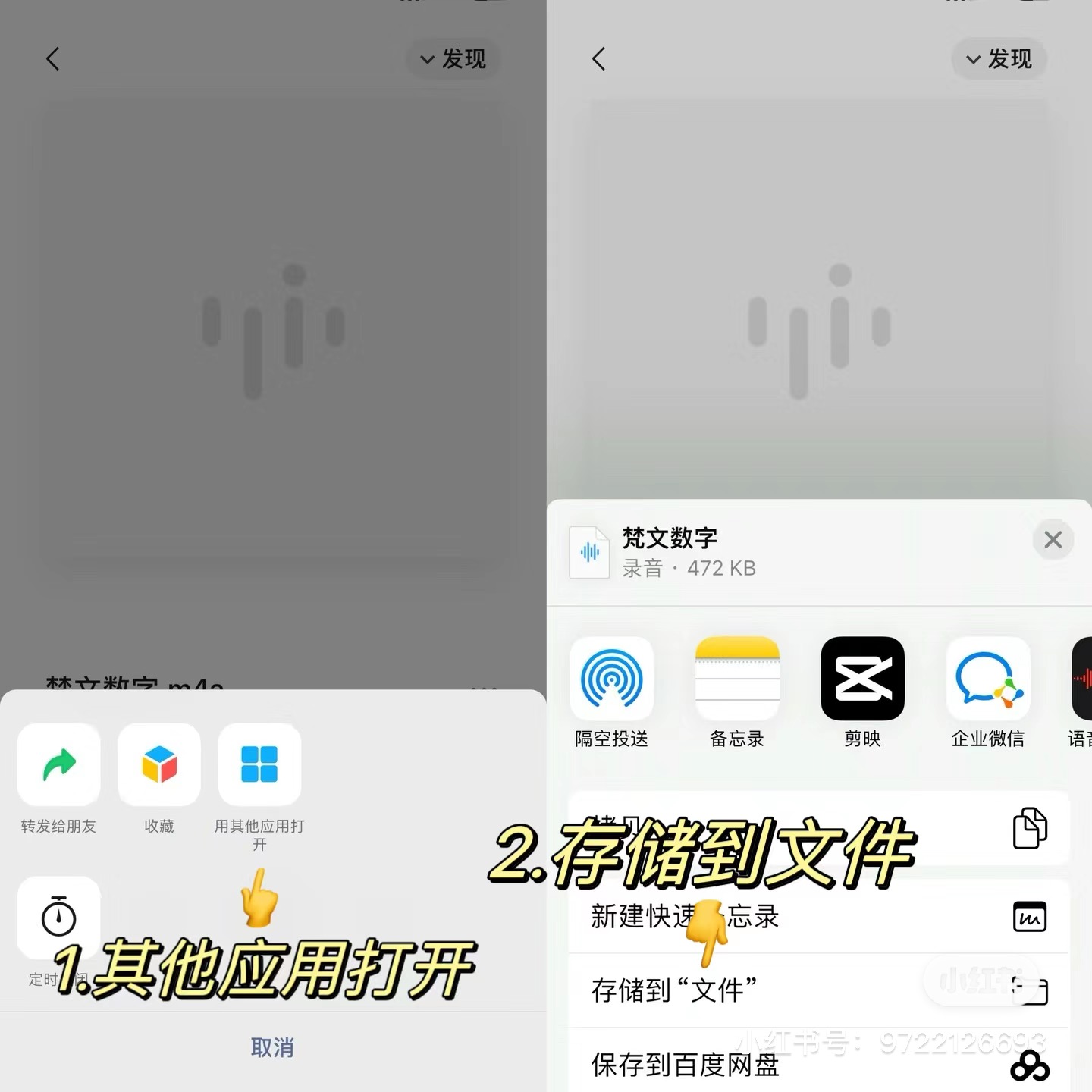
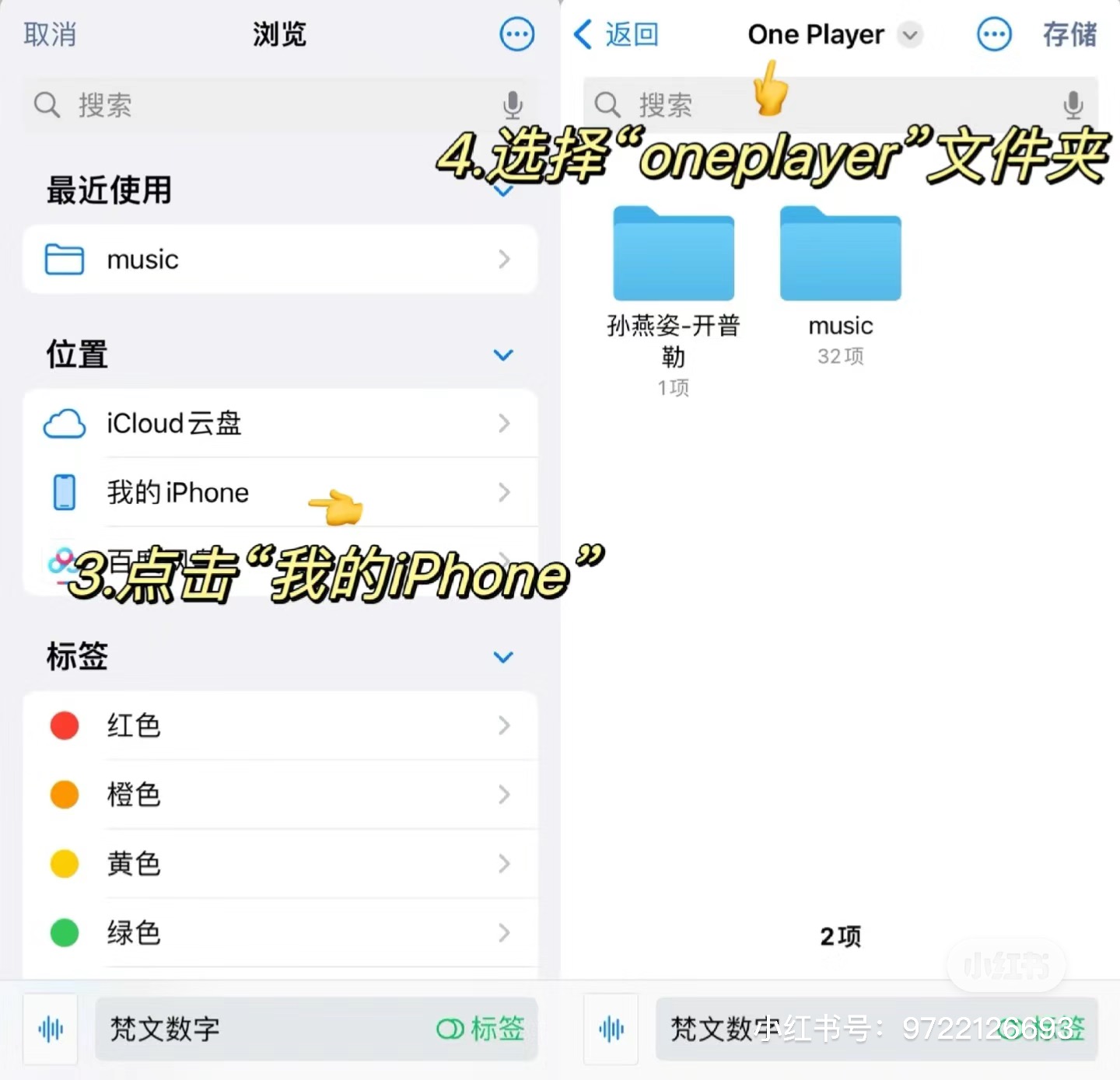
2. Save the file into the "One Player" folder
3. In OnePlayer, open Settings and tap "Scan local audio files"
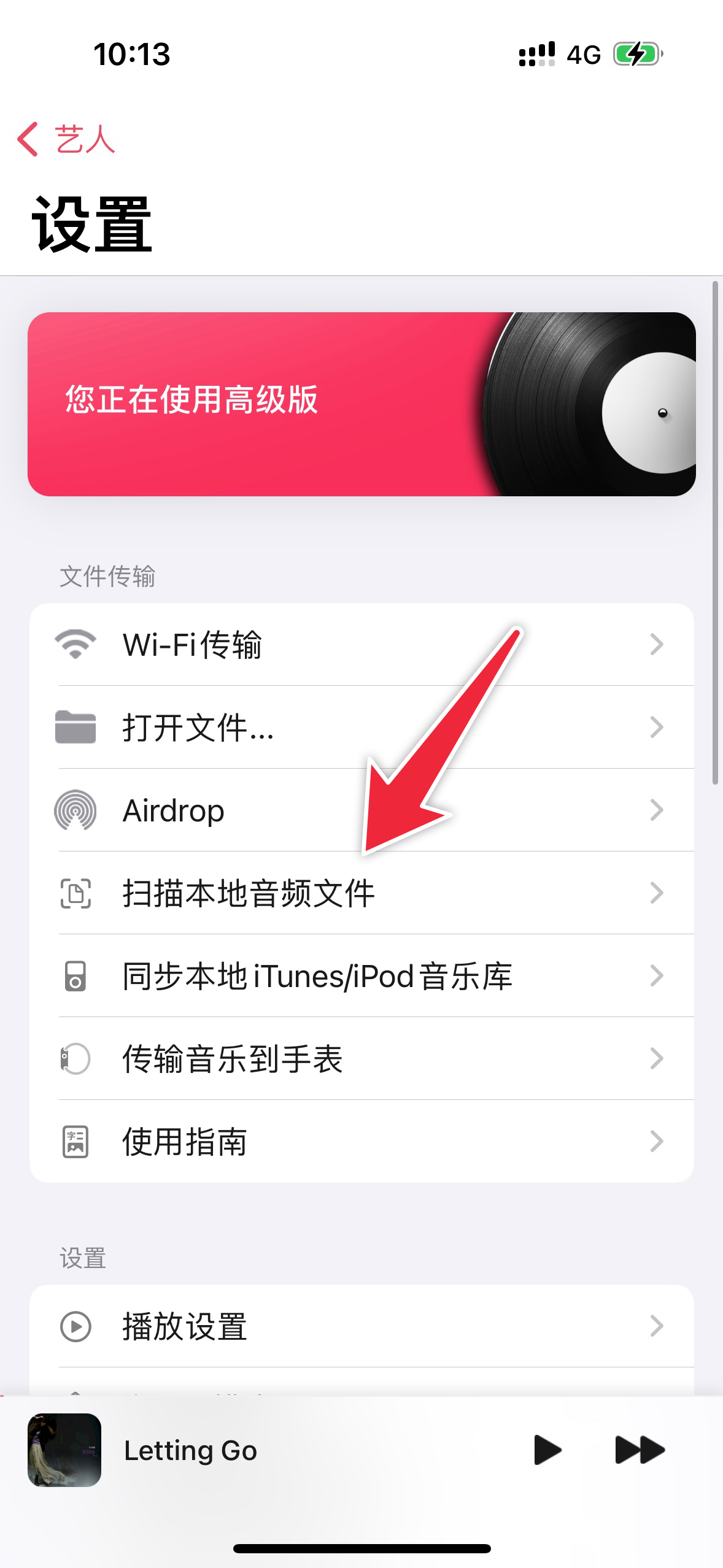
Alternatively, zip multiple music files into a single archive, send it via WeChat, save to Files, unzip it there, then tap "Scan local audio files" in OnePlayer settings.