
OnePlayer 5.0: A new playback experience
OnePlayer 5.0: A new playback experience
OnePlayer 5.0 redoes the playback link from the bottom up and centralizes scattered sound functions into the new "Sound Center". Online music is no longer just for casual browsing, either: SMB and WebDAV folders can be added to libraries and cached locally on demand.
This page is a collection of 5.0 features. Each piece of content is still archived in the long-term "Playback and Sound Quality" or "Online Music" categories, and subsequent versions can continue to be accessed.
New playback engine
Sound arrives faster and is easier to understand
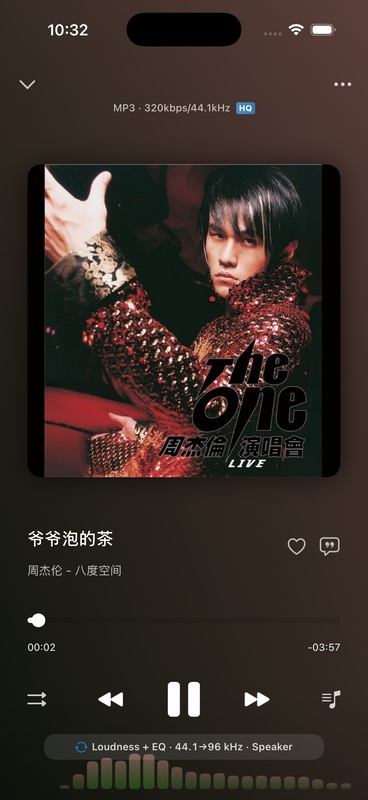
The new generation playback engine handles local, system music libraries and network audio in a unified manner, improving stability during high sampling rates, network playback and song switching.
- Learn about the new playback engine and real-time spectrum
- View audio output and complete processing path
- Configuring Hi-Res, Upscaling and DSD DoP
New sound center
From output devices to every step of sound processing, control it all in one place
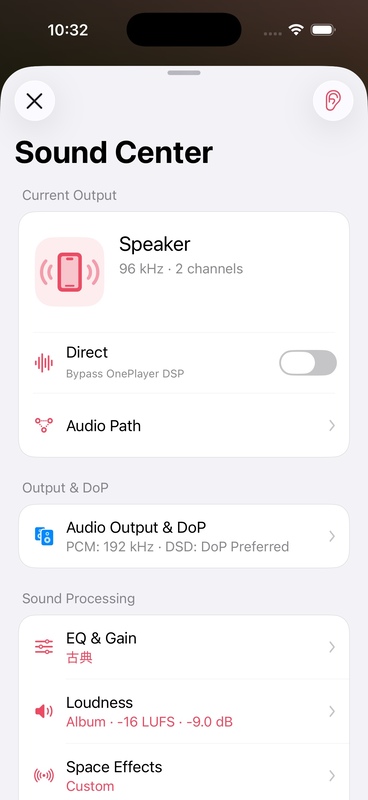
The sound center centrally displays the current output, Direct status, EQ, loudness, spatial effects and sound style, and supports long press to listen to the unprocessed original sound.
- Complete User Guide to Sound Center
- Set EQ, preamp gain and advanced filter
- Balance song volume using loudness equalization
- Experience spatial effects, vinyl and tape sounds
Stronger online music
NAS music library can also be organized like local music
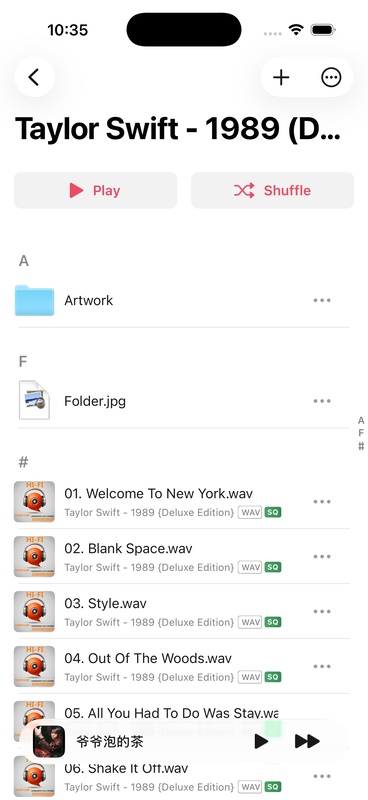
OnePlayer can discover LAN devices, index remote folders, read remote covers and lyrics, and cache frequently listened songs for offline playback.
- Automatic discovery of SMB and WebDAV devices
- Add network folder to music library
- Caching online songs for offline playback
Get started
First time experiencing 5.0, it is recommended to follow the following order:
- Play a familiar song, check play page and audio path.
- Open Sound Center and confirm the current output status.
- Start with an EQ or sound style and compare the differences using Hold to hear the sound.
- If the music is saved on the NAS, continue to complete the Remote Library settings.
Whether DoP actually takes effect depends on the iPhone, adapter accessories, and USB DAC. The simulator can display the setup interface, but cannot verify the real USB DAC handshake and output status.