
Siri & Shortcuts — Voice Control for OnePlayer
Siri & Shortcuts — Voice Control for OnePlayer
Starting with OnePlayer 1.9.1, you can play music hands-free using Siri voice commands and the iOS Shortcuts app on iOS 16 and later.
1. Siri Voice Commands
OnePlayer plugs into iOS's system-level music intent, so you can just wake Siri and ask for what you want.
- Say "Play music" to wake OnePlayer and start playback. By default it resumes from where you left off; with no history, it plays every song in your library.
- Play a specific song: say "Play [song name] in OnePlayer". If the song is already imported, Siri plays it directly. Otherwise it falls back to the "Play music" behavior above.
- Play a playlist: say "Play [playlist name] playlist", e.g. "Play running playlist". If the playlist doesn't exist, it falls back to "Play music".
- Play an album: say "Play album [name]" or "Play the [name] album".
- Play an artist: say "Play songs by [artist]", e.g. "Play songs by Jay Chou".
💡 Tip: If multiple Siri-enabled audio apps are installed, Siri may ask which one to use. To skip the prompt, include "in OnePlayer" in your command — e.g. "Play music in OnePlayer", "Play running playlist in OnePlayer", "Play songs by Jay Chou in OnePlayer".
2. Shortcuts
⚠️ The Shortcuts integration requires iOS 16 or later.
⚠️ Because Shortcuts often trigger playback in the background, OnePlayer may not be able to claim exclusive audio focus and won't show up in Control Center, leaving you unsure which app is playing. To make sure you know it's OnePlayer, the app posts a local notification whenever a Shortcut starts playback — please enable notifications for OnePlayer.
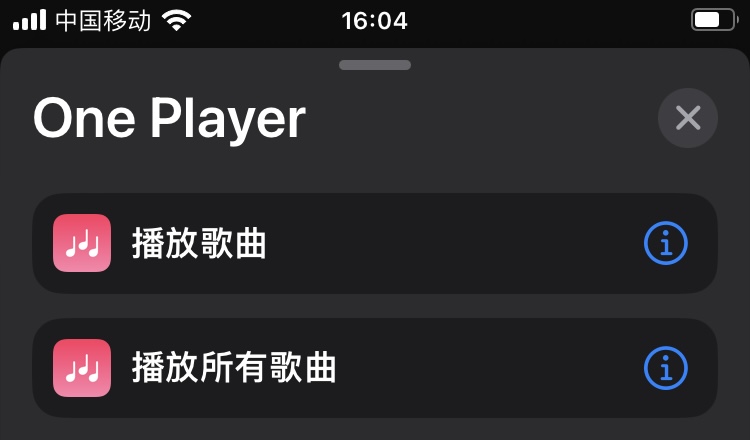
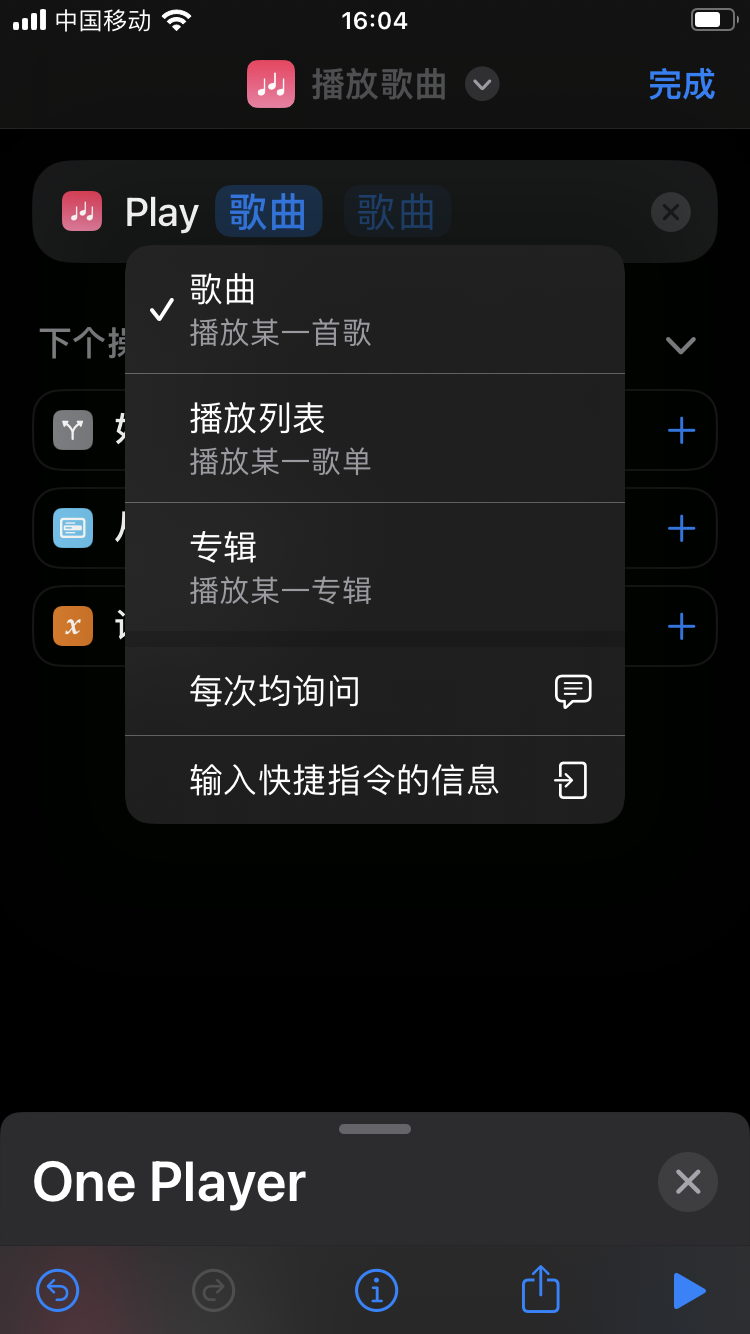
OnePlayer ships two built-in Shortcuts:
- Play All Songs — plays every song in your library.
- Play Song — plays a specific song, playlist, or album of your choice.
Video tutorial
Watch the walkthrough on Xiaohongshu: http://xhslink.com/Uj29ur