
Apple Watch Offline Music: Play MP3 and FLAC Without iPhone
Many searches around Apple Watch music come down to one practical question: can the watch play music that is stored locally, without the iPhone nearby?
With OnePlayer for Apple Watch, you can transfer local music files from iPhone to the watch, then play them independently during workouts, walks, commutes, or quick listening sessions.
When this guide helps
- You want to listen to MP3, FLAC, WAV, AAC or M4A files on Apple Watch
- You want Apple Watch music without iPhone, cellular, Wi-Fi or streaming
- You prefer local files instead of an Apple Music subscription
- You need an offline music player app for runs, workouts or travel
- You want playback through AirPods, Bluetooth headphones or the watch speaker
1. Install OnePlayer on Apple Watch
Update OnePlayer to the latest version and make sure your Apple Watch is running at least watchOS 8.
Open the Watch app on your iPhone, scroll down, find OnePlayer under "Available Apps", and tap "Install". The system will automatically install OnePlayer on your watch. This process may take some time, so please be patient.
2. Transfer Music to Apple Watch
Once OnePlayer is installed on your watch, select songs in the iPhone app and send them to the watch.
You can choose "Transfer to Watch" from song lists, playlists, albums, folders, or artist pages. The selected songs will be added to the transfer queue and sent to your watch one by one.
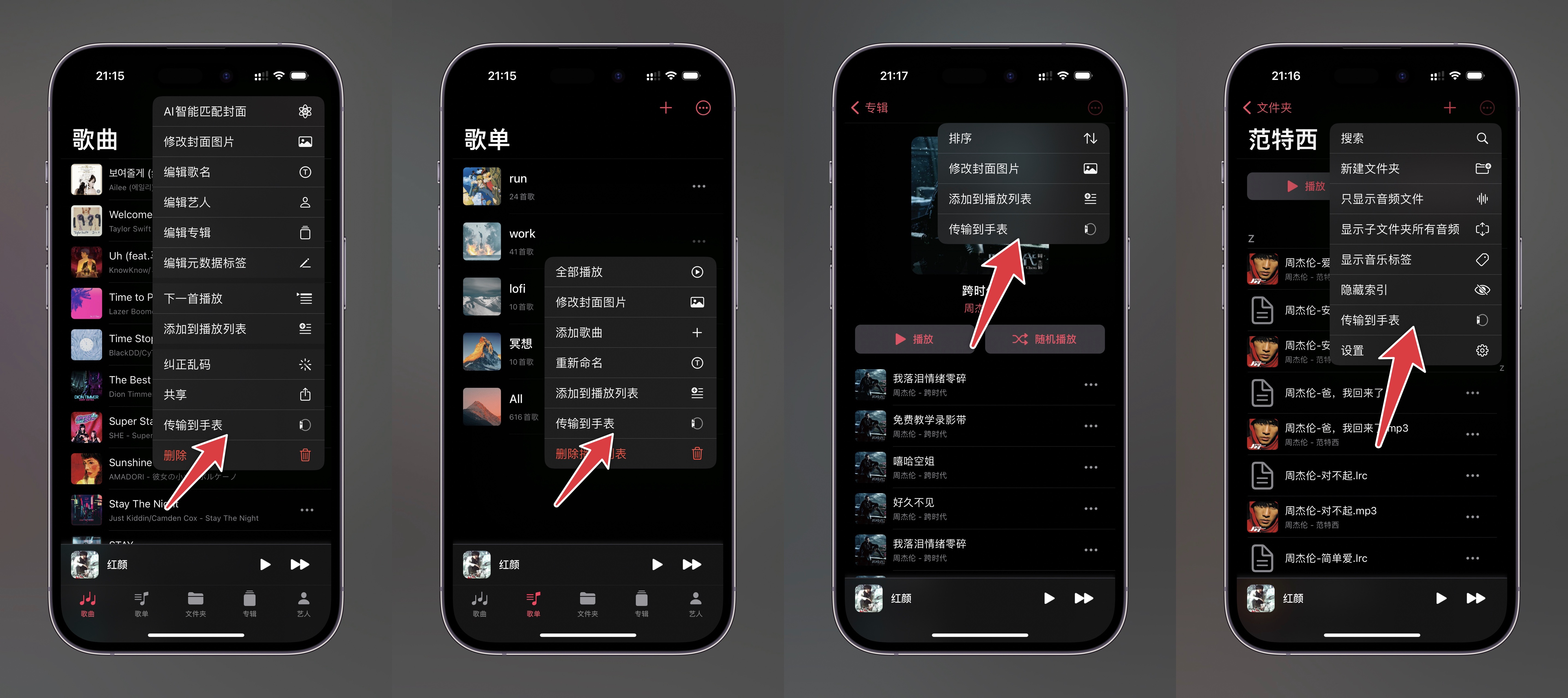
Supported formats on Apple Watch:
MP3, M4A, AAC, M4B, WAV, AIF, AIFF, AU, CAF, and FLAC
Some high-bitrate FLAC files may not play on Apple Watch due to hardware limitations. For best compatibility, use common-bitrate MP3, AAC, M4A or WAV files.
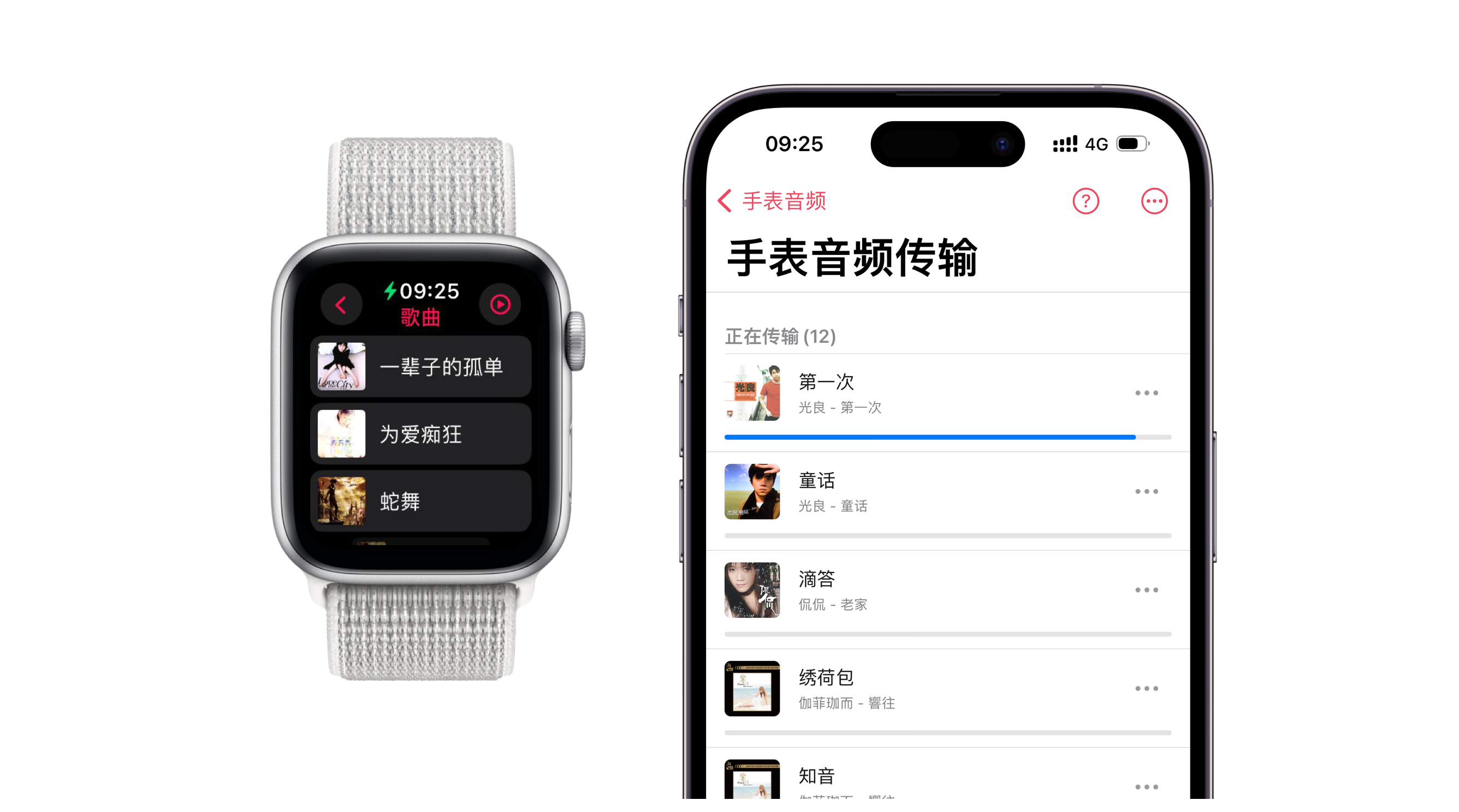
After initiating the transfer, it should begin within a minute. If there's no progress, try the following:
- Keep OnePlayer open on both devices and don't let the screen turn off
- Playing music on your phone while transferring can make the transfer more stable
- Make sure the watch battery is sufficiently charged
- If you're not in a hurry, the transfer can run in the background, but the timing is determined by the system
For more details, see Transfer Music to Apple Watch from iPhone. If the progress bar disappears, see No Transfer Progress to Apple Watch.
3. Play Music Independently on Apple Watch
There are two types of content shown on the watch:
- Mirrored iPhone content: the music is stored on the iPhone, and tapping a song plays it on the phone.
- Music transferred to the watch: the music is stored locally on Apple Watch, and tapping a song plays it directly on the watch.
OnePlayer supports Bluetooth audio devices, including AirPods, headphones and speakers. It can also play through the Apple Watch built-in speaker. Choose the playback method in the OnePlayer watch app settings.
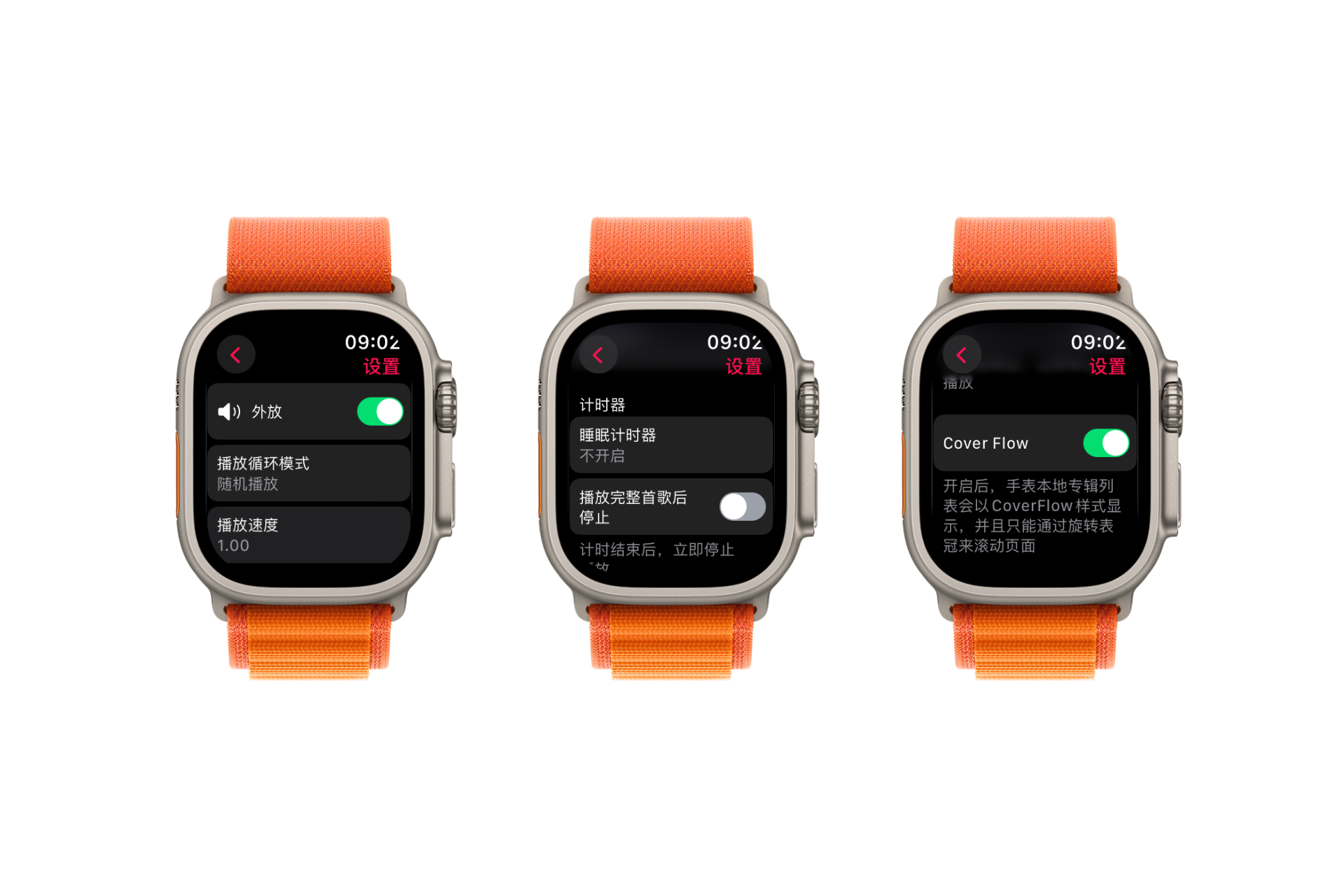
For output switching, see Apple Watch Speaker — Play Audio Through the Watch.
How this differs from Apple Music sync
Apple's Music app is best for Apple Music subscriptions and synced albums or playlists. OnePlayer is designed for your own local audio files, including MP3, FLAC, WAV, AAC and M4A.
If you are searching for "Apple Watch music without phone", "Apple Watch MP3 player", "Apple Watch offline music app", or "download music to Apple Watch offline", OnePlayer is built for that local-file workflow.
FAQ
Does offline music on Apple Watch need cellular?
No. Once the songs are transferred to Apple Watch, local playback does not require cellular, Wi-Fi or the iPhone.
Can I transfer a whole playlist or album?
Yes. You can transfer music from song lists, playlists, albums, folders and artist pages.
Do I need Apple Music?
No. OnePlayer plays your own local music files and does not require an Apple Music subscription.
What is a good Apple Watch music app for local files?
If you mainly listen to MP3, FLAC, WAV, AAC or M4A files, see Best Apple Watch Music Apps for Offline Local Files.